
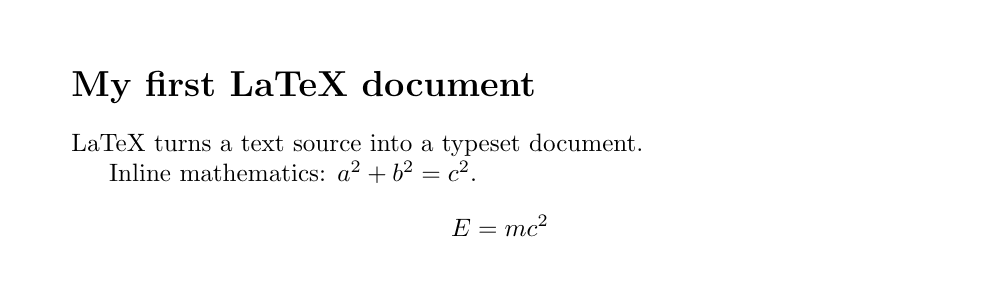
The smallest LaTeX document that compiles (hello world)
Three commands, and no more. \documentclass{article} declares what kind of document this is, \begin{document} opens the body, \end{document} closes it. Leave any one of the three out and you get no PDF; keep all three and it runs even with nothing between them. Save the readable version below as hello.tex. The file should be UTF-8 and the extension must be .tex.
\documentclass{article}
\begin{document}
This is my first document.
\end{document}
The article in \documentclass{article} is the class. A class is the blueprint for the whole document: how wide the margins are, how big headings are and how much space surrounds them, whether chapters exist at all. The ones that ship as standard are article (papers, short reports, technical notes — no \chapter), report (longer reports, with chapters), book (books, assuming double-sided printing) and letter. For Japanese, choose jlreq or jsarticle (Japanese setup has its own page). If a journal or publisher hands you a class file, use it without hesitating: the entire argument about house style disappears.
Preamble and body: the two worlds \begin{document} divides
Everything before \begin{document} is the preamble; everything after it is the body. The preamble is where you decide how the document will be set, and nothing written there reaches the page. In the body, by contrast, what you write is broadly what you get. The boundary is not a LaTeX quirk but a necessity: before it can set a single character, LaTeX has to have settled the paper size, the measure, the fonts and every package it will load. That is why \usepackage may only appear in the preamble. Put one in the body and the run stops with ! LaTeX Error: Can be used only in preamble.
The mirror-image mistake is just as common: put ordinary prose in the preamble and you get ! LaTeX Error: Missing \begin{document}. It is baffling the first time — you did write \begin{document} — but LaTeX means “text arrived before the body had started”, that is, there is text ahead of where the body begins. Comment out any notes you leave in the preamble with %.
Compiling to a PDF with pdflatex and latexmk
Type pdflatex hello.tex at a terminal. If you are in an editor or on Overleaf, the “compile” button does exactly this. The sign of success is the last two lines — Output written on hello.pdf and Transcript written on hello.log. If you see those, the PDF exists. The wall of paths that scrolls past on the way is the list of class files and fonts being loaded; it is normal output and you do not need to read it.
$ pdflatex hello.tex
This is pdfTeX, Version 3.141592653-2.6-1.40.26 (TeX Live 2024)
(./hello.tex
LaTeX2e <2023-11-01> patch level 1
(/usr/local/texlive/2024/texmf-dist/tex/latex/base/article.cls
Document Class: article 2023/05/17 v1.4n Standard LaTeX document class
...
Output written on hello.pdf (1 page, 31014 bytes).
Transcript written on hello.log.
When something goes wrong, pdflatex may print ? and wait for input. Do not hammer Enter; type x and press Enter to abort. If you would rather never have that conversation, pdflatex -interaction=nonstopmode hello.tex runs to the end regardless and writes everything to the log. And it is worth learning latexmk -pdf hello.tex early: it reruns the compiler as many times as the document needs, so the “twice” problem in the next section stops being your problem.
What are all these new files? .aux, .log, .toc, .out
One compile and the folder has four more files in it. Nothing has gone wrong: LaTeX is leaving notes for itself. Run a document with a table of contents and one section through pdflatex and, besides hello.tex, you get hello.aux (132 bytes), hello.log (3,250 bytes), hello.pdf (31,014 bytes) and hello.toc (59 bytes). The .aux is the heart of the mechanism. Open it and it contains exactly three lines.
% hello.aux, written by the first run
\relax
\@writefile{toc}{\contentsline {section}{\numberline {1}Introduction}{1}{}\protected@file@percent }
\gdef \@abspage@last{1}
Read out loud: “section number 1, Introduction, is on page 1” and “the last page is page 1”. In other words .aux is a notebook of numbers and page positions, read back on the next run. .toc is the draft table of contents built from it, .log is the complete record of the run, and .out appears once you use hyperref — it holds the PDF's bookmarks.
| Extension | What is in it | Safe to delete |
|---|---|---|
.tex | Your manuscript; the only original | Never. This is the only file to back up and commit |
.pdf | The finished output | Yes; it can be rebuilt from the source any time |
.aux | Section and figure numbers, and the page each label points at | Yes, but the very next run will show ?? for references |
.log | Every file loaded, every warning, every error | Yes — but while chasing an error it is the most valuable file you have |
.toc | The contents entries and page numbers written by the previous run | Yes; the next run simply prints an empty table of contents |
.out | The PDF bookmarks produced by hyperref | Yes; it does not appear at all unless you load hyperref |
The practical rule is short. Put only .tex and your images under version control, and add the helper files to the ignore list. latexmk -c cleans them up in one command. But do not delete them as a habit: they exist to save work, and wiping them every time is choosing the long way round on purpose. Reach for the broom only when a problem persists with no explanation.
Why you have to compile twice: ?? and the rerun warning
Because on the first run LaTeX does not yet know the answer. When you write “see Section 1”, LaTeX only learns that section's number and page after it has actually set it — and references almost always come before the thing they point at. So the first run typesets what it can while writing the answers into .aux, and the second run reads them back and fills the holes. The table of contents is the same story: \tableofcontents sits at the front of the document, but its contents are not known until the end. Here is the real record of both runs.
$ pdflatex ref.tex          # first run, from a clean directory
No file ref.aux.
No file ref.toc.
LaTeX Warning: Reference `sec:intro' on page 1 undefined on input line 5.
LaTeX Warning: There were undefined references.
LaTeX Warning: Label(s) may have changed. Rerun to get cross-references right.
Output written on ref.pdf (1 page, 33009 bytes).

# the PDF now reads:  "See Section ?? on page ??."

$ pdflatex ref.tex          # second run
Output written on ref.pdf (1 page, 34613 bytes).

# the PDF now reads:  "See Section 1 on page 1."
Three things to notice. The first run says No file ref.aux. — the notebook does not exist yet. References print as ??, and you get LaTeX Warning: Label(s) may have changed. Rerun to get cross-references right. The word “Rerun” is the instruction: run it again. On the second run the warning is gone and ?? has become 1. The table of contents behaves the same way — on the first run it prints its heading and nothing else, and only on the second does the list appear. If you see ?? in your PDF, nothing is broken; it is a request for one more pass.
If counting passes bores you, hand the job to latexmk. Run latexmk -pdf ref.tex in a clean directory and it prints Run number 1 of rule 'pdflatex', Run number 2 of rule 'pdflatex', then Latexmk: All targets (ref.pdf) are up-to-date — it runs exactly the two passes required and stops. Bibliographies (BibTeX/biber) and indexes (makeindex) push the count higher, and latexmk handles those too. VS Code's LaTeX Workshop, TeXShop and Overleaf are usually calling latexmk behind the scenes anyway.
Characters that do not print as typed: %, &, _, #, $
LaTeX has ten characters that mean something else when typed bare: # $ % & ~ _ ^ \ { }. The one that catches most people on day one is %, and the reason it catches them is that it does not raise an error. Write Only 50% of the sample survived. with The rest did not. on the next line, and the PDF prints “Only 50The rest did not.” Everything from % to the end of the line is discarded as a comment, and the vanished line-end simply joins the next line onto the same paragraph. No error is reported, so nothing warns you — and percentages are everywhere in scientific writing. The correct form is 50\%.
| Character | What happens if typed bare | How to print it |
|---|---|---|
% | The rest of the line is silently dropped as a comment. No error | \% |
$ | Starts or ends math mode; one alone throws everything after it into math | \$ |
& | Column separator in tables and alignments; in text you get ! Misplaced alignment tab character &. | \& |
_ | Subscript in math; in text it gives ! Missing $ inserted. | \_ |
^ | Superscript in math; in text, ! Missing $ inserted. just as with _ | \textasciicircum{} |
# | A macro argument marker; you get ! You can't use ... in horizontal mode. | \# |
~ | A non-breaking space (as in Fig.~1); it never prints as a character | \textasciitilde{} |
\ | Starts a command; whatever follows is read as a command name | \textbackslash |
{ } | Delimit arguments and groups; they never appear in the output | \{ and \} |
Two more habits are troublesome precisely because they raise no error. The first is that a command eats the space after it. Write \LaTeX is a macro package. and you get “LATEXis a macro package.”, because LaTeX consumes the following space while working out where the command name ends. Fix it with empty braces, \LaTeX{} is, or with \LaTeX\ is. The second is quotation marks: typing "hello" gives you a closing quote at both ends (”hello”). The opening mark is two backticks and the closing one is two apostrophes, so the correct form is ``hello''.
Reading your first errors: ! Missing $ inserted. and friends
Read only the first line beginning with ! and the l. line just after it. l. is short for “line”; the number after it is the line number, the line's text is printed with it, and it is broken in two exactly where TeX tripped. The break point is the scene of the crime. Here is what writing x_1 in ordinary text produces. Because TeX forces itself onward after the first error, the errors that follow are usually a chain reaction. Fix only the top one and run again.
$ pdflatex e2.tex      # line 3 of the source reads: The value of x_1 is small.
! Missing $ inserted.
<inserted text>
                $
l.3 The value of x_
                   1 is small.

$ pdflatex e3.tex      # line 3 reads: Smith & Jones wrote it.
! Misplaced alignment tab character &.
l.3 Smith &
            Jones wrote it.

$ pdflatex sc.tex      # line 3 reads: Issue #42 and more.
! You can't use `macro parameter character #' in horizontal mode.
l.3 Issue #
           42 and more.

$ pdflatex e5.tex      # \begin{itemize} was never closed
! LaTeX Error: \begin{itemize} on input line 3 ended by \end{document}.

$ pdflatex e4.tex      # \end{document} is missing entirely
*** (job aborted, no legal \end found)
!  ==> Fatal error occurred, no output PDF file produced!
! Missing $ inserted. means “something that only works in math turned up in text, so TeX inserted a $ for you”. The cause is nearly always _ or ^: either make it real math, $x_1$, or escape it, x\_1. ! LaTeX Error: \begin{itemize} on input line 3 ended by \end{document}. is an unclosed environment, and it is one of the friendlier errors because it tells you the line where the environment opened. The most alarming-looking one, ! ==> Fatal error occurred, no output PDF file produced!, usually just means \end{document} is missing. And ! Undefined control sequence. is a typo (\sectoin) or a package you forgot to load.
Adding a title and headings to make it a report
From here on it is only addition. Put \title, \author and \date in the preamble and call \maketitle at the top of the body to set the title. Headings made with \section and \subsection are numbered for you, and \tableofcontents builds the contents list (which, as we saw, only appears from the second run). \date{\today} becomes the date you compiled on, and a heading you do not want numbered takes an asterisk: \section*{...}.
\documentclass{article}
\title{My First Report}
\author{Taro Yamada}
\date{\today}
\begin{document}
\maketitle
\tableofcontents

\section{Introduction}
Blank lines start new paragraphs. Line breaks in the source do not.

\section{Method}
\subsection{Setup}\label{sec:setup}
Only 50\% of the sample survived. See Section~\ref{sec:setup}.
\end{document}
The example also contains the single most important rule for writing the body: line breaks in the source are ignored, and a blank line starts a new paragraph. Break after every sentence or leave three blank lines — the output is the same. LaTeX decides the final line breaks by looking at the whole paragraph. Insert a blank line only where you actually want a new paragraph.
Adding features with packages: \usepackage
Missing features come from packages, and adding one is a single \usepackage{...} line in the preamble. Images need graphicx, serious mathematics amsmath, different margins geometry, links and PDF bookmarks hyperref. Thousands of packages ship with a distribution such as TeX Live, and the archive they all come from is CTAN, the Comprehensive TeX Archive Network. But do not load a pile of them up front. Keep only the ones whose presence you can justify: when two packages collide and produce something like Option clash for package ..., the work of isolating the culprit grows with the number loaded.
\documentclass[a4paper,11pt]{article}
\usepackage{graphicx}                  % include images
\usepackage{amsmath}                   % proper math environments
\usepackage[margin=25mm]{geometry}     % page margins
\usepackage{hyperref}                  % links and PDF bookmarks; load it last
\begin{document}
\section{Results}
Text, images and equations go here.
\end{document}
By convention hyperref is loaded last. It works by rewriting other packages' commands, so loading it early means a later package overwrites its changes. And that is the whole of day one: the minimal document, the preamble/body split, compiling, the helper files, the second run, the special characters and your first errors. From here, write what you actually want to write and add features one at a time as you need them.