Free
$0
The editor and a monthly Axiom allowance
Start for free- Visual equation editing
- On-device equation OCR
- Free Axiom allowance
 TeX64
TeX64The LaTeX editor with AI built in
Axiom reads your project, edits equations and prose, and checks the typeset PDF.
For macOS and Windows
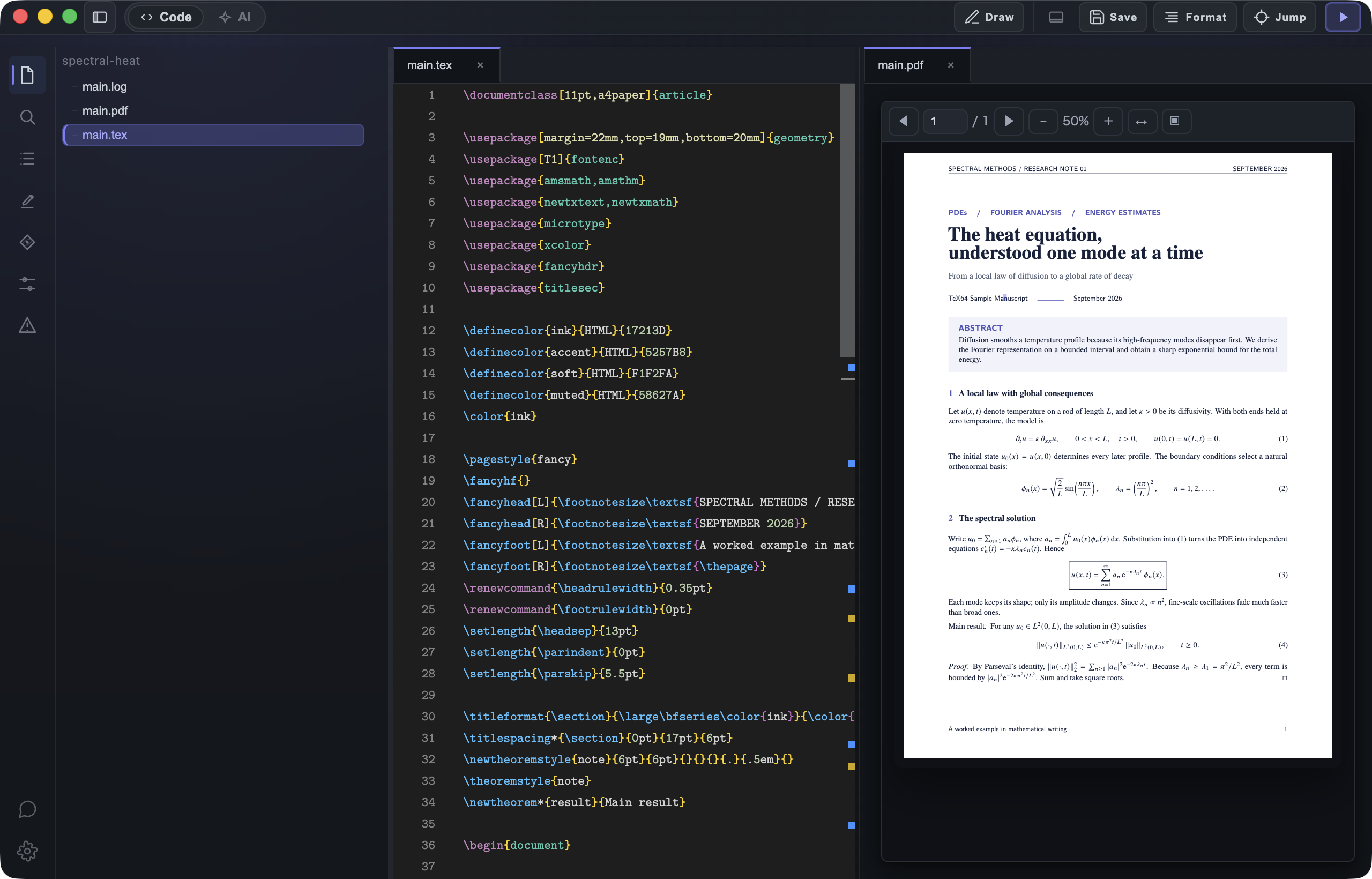
It reads the equations and prose you have written, then adds the lines you need.
 TeX64
TeX64\section{The spectral solution}Write $u_0=\sum_{n\geq1} a_n\phi_n$.Open your existing manuscript folder in TeX64. Use your installed TeX distribution, or choose Quick Setup in the app.
Quick Setup needs no administrator access. You can also continue with a project exported from Overleaf.
The editor is free. Try Axiom with a monthly free allowance.
The editor and a monthly Axiom allowance
Start for freeFor more Axiom work
Get BasicFor longer manuscripts and more work
Get ProPrices are in USD. Check your current Axiom allowance in the app.
Pick up your manuscript on Windows or Mac.
From opening a project to working with Axiom
Yes. Open the folder with your .tex, .bib, and image files. Export and unzip an Overleaf project to continue locally.
PDF builds need a TeX distribution. Use one you already have, or install a managed environment with Quick Setup in TeX64. No administrator access is required.
Editing, PDF builds, and equation OCR work offline. Axiom and the initial TeX download need internet access.
Review changes in the diff and the PDF, and undo them if needed. Check the mathematics and conclusions yourself.

Give Axiom a task in the manuscript you are already writing.
Download for free