Quickstart

Overview

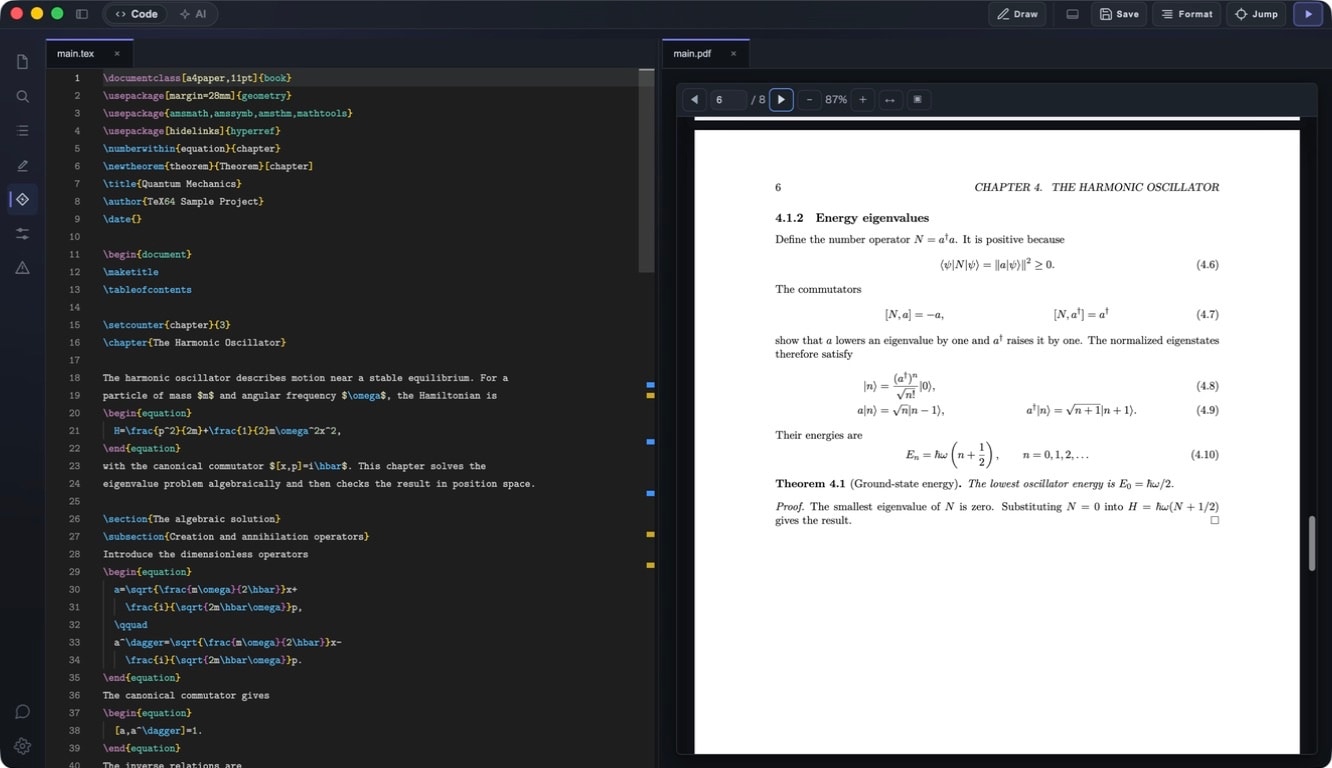
TeX64 is a macOS-only, local-first LaTeX editor. Open a workspace folder, edit .tex files, build with one click, and preview PDF in an integrated viewer. Native support for both Apple Silicon (M1/M2/M3/M4) and Intel. Works completely offline except for AI features.

Prerequisites

  • macOS 12 (Monterey) or later
  • Apple Silicon (M1/M2/M3/M4) or Intel Mac
  • TeX environment: MacTeX recommended (requires latexmk, lualatex, latexindent, synctex)
  • Approximately 150 MB free disk space

Install TeX64

  • Download DMG from /download (choose Apple Silicon or Intel)
  • Open the DMG, drag TeX64.app to Applications folder
  • First launch: you may see a Gatekeeper warning. Control+click and select Open.
  • Check architecture: run `uname -p` in Terminal (arm = Apple Silicon, i386 = Intel)

Install TeX Environment

To use all TeX64 features, install a TeX Live distribution. MacTeX is recommended.

  • MacTeX (Recommended)
    Full TeX Live + GUI tools, ~4GB
  • BasicTeX
    Minimal setup, ~100MB. Install additional packages with `sudo tlmgr install` as needed.

See detailed TeX distribution guide →

Getting Started in 7 Steps

  1. Launch TeX64
  2. File > Open Workspace (or drag a folder onto the app)
  3. Select the main .tex file from the file tree (TeX64 auto-detects)
  4. Press Cmd+B to build (or click the Build button)
  5. PDF appears in the integrated viewer
  6. Edit source → Cmd+B → PDF updates automatically
  7. Cmd+click in PDF to jump to source code (Reverse SyncTeX)

Editor Features

  • File Tree: collapsible directory view of your workspace
  • Tab Editing: open and switch between multiple files simultaneously
  • Split View: display editor and PDF side-by-side or stacked
  • Separate PDF Window: detach PDF viewer to a separate window for multi-monitor setup
  • Outline View: auto-generated from chapters, sections, figures, labels, citations, and TODOs. Click to jump to any item
  • Project Search: full-text search across your entire workspace (powered by ripgrep)
  • Rename Support: support for renaming files and labels throughout your project

Build System

  • Single-click build with Cmd+B
  • Uses latexmk under the hood (incremental builds—much faster on subsequent runs)
  • Build output panel shows progress, warnings, and errors. Click any error to jump to that line
  • PDF auto-updates on successful build (preserves last good PDF if build fails)
  • Root file selection: auto-detect or manually select your main file
  • Build profiles: configure multiple compilation targets

Keyboard Shortcuts

  • Cmd+BBuild
  • Cmd+,Open Settings
  • Cmd+Click (PDF上) — Jump to source code (Reverse SyncTeX)
  • Cmd+Shift+EOpen Block Editor

Verify Your Environment

To verify that TeX64 found all required tools, open Settings and check the Runtime tab.

  • Tools checked: lualatex, latexmk, latexindent, synctex
  • ✅ Green checkmark = found
  • ❌ Red = missing
  • If missing: install MacTeX or run `tlmgr` to add individual packages

Next Steps

Explore these guides to unlock the full power of TeX64: