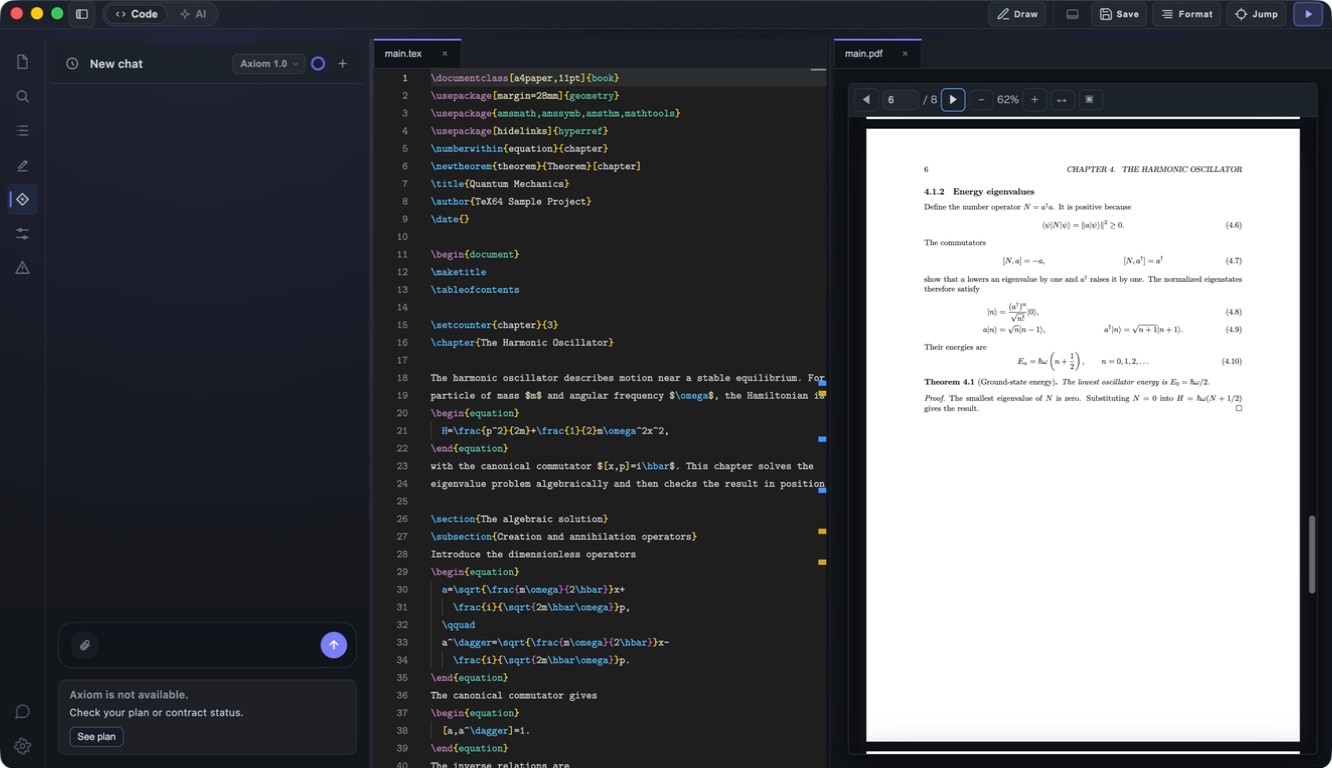
AI — Axiom

Overview

Axiom is a LaTeX-specialized AI integrated into TeX64. Understands your entire project context and supports three modes: chat, inline completion, and autonomous agent mode. Your paper data is never used for AI training. Processed server-side using Google Gemini API.

AI Chat

Conversation with an AI that understands your entire project. Ask natural language questions like "Why is this error happening?" or "Make this section more concise". AI can read your project files (.tex, .bib, .sty, .cls, etc.), file structure, build output, and error messages.

  • Image attachments: paste screenshots to share visual context
  • Conversation history: up to 80 messages per session, up to 24 simultaneous sessions
  • Pause and resume conversations anytime
  • Can reference compile logs, BibTeX files, and arXiv papers

AI Completion

Inline code completion and draft generation in your editor. Automatically generates next lines, sections, or equations.

  • Generate equations from natural language (e.g., "integral of x squared from 0 to 1" → \int_0^1 x^2 dx)
  • Writing assistance: generate paragraphs, abstracts, introductions
  • Error detection and fix suggestions
  • Rewriting and paraphrasing
  • Accept or dismiss with a keystroke

Agent Mode (Pro Plan)

Autonomous multi-step task execution from a single instruction. Workflow: analyze → plan → propose diff → user reviews → apply.

Desktop Tools

  • desktop.fs.read: read files (path-restricted)
  • desktop.fs.write: write files (always requires approval + diff)
  • desktop.fs.search: search in project (ripgrep)
  • desktop.editor.diff: generate diff
  • desktop.editor.apply: apply diff (requires approval)
  • desktop.editor.undo: undo changes
  • desktop.build.run: run build
  • desktop.logs.tail: fetch logs

Safety Features

  • Write, delete, and external operations require user approval
  • Loop limit: maxSteps (default 8)
  • Time limit: maxWallTimeMs (default 25 seconds)
  • Audit logging: all operations recorded (NDJSON + rotation)

Use Cases

  • Multi-file refactoring across chapters
  • Automatic compilation error fixes
  • Generate boilerplate for new chapters/sections
  • Reorganize document structure
  • Identify errors in build logs → fix → rebuild

What Axiom Can See

  • Project files (.tex, .bib, .sty, .cls, etc.)
  • File tree structure
  • Build output and compile logs
  • Error messages and warnings
  • Referenced packages and bibliography
  • Images attached to chat
  • arXiv search results and BibTeX data

What Axiom Cannot Do

  • Cannot access files outside your workspace
  • Cannot execute arbitrary system commands (tools are restricted)
  • Cannot modify files without user approval (agent mode)
  • API keys and tokens are automatically redacted (masked)

Privacy & Data

  • Paper data is NEVER used for AI training
  • Data only sent when you explicitly use AI features
  • HTTPS encryption in transit
  • Server-side processing via Google Gemini API
  • Deleted after processing (not stored long-term)
  • Sensitive data (API keys, tokens) auto-redacted
  • Model selection controlled server-side (auto-cheapest for cost optimization)

Plans & Pricing

Free

  • AI features not included

Basic — $12/month

  • AI chat + completion
  • Monthly token limit: ~200,000 tokens (equivalent to $1)

Pro — $25/month

  • All Basic features + Agent mode
  • Monthly token limit: ~2,000,000 tokens (equivalent to $10)

View token usage in Account > Usage dashboard. Grace period of 3 days after payment failure.

Technical Details

  • Context messages: max 14 (optimized via compression + summarization)
  • Chat input limit: 3,200 tokens
  • Chat output limit: 512 tokens
  • Completion input limit: 1,200 tokens
  • Completion output limit: 96 tokens
  • Conversation TTL: 3 days (259,200 seconds)
  • Rate limit: 30 requests/minute
  • Agent: max 8 steps, max 25 seconds, max 200KB context

Tips

  • Be specific in your prompts for better results
  • Attach images for visual issues
  • Use Agent mode (Pro) for complex changes
  • Review diffs before applying
  • Use chat for questions, completion for inline suggestions
Important: Always verify AI-generated output. While Axiom is powerful, it can make mistakes with complex code or semantics.