
Using TeX64
Practical help for opening a project, building a PDF, and moving through your source with confidence.
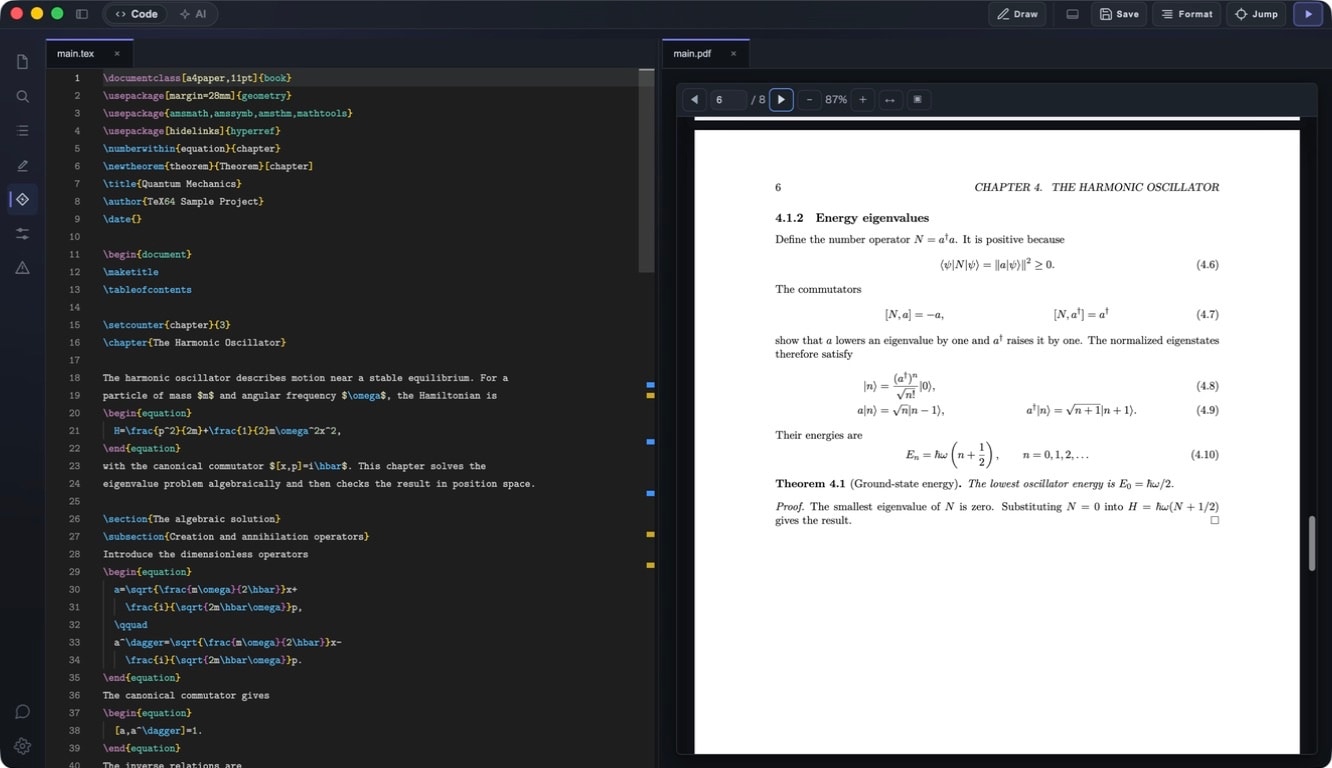
Start with a task
Build your first PDFOpen a LaTeX folder, use the TeX environment TeX64 finds or sets up, and make a PDF.Build and inspect your PDFUse the build action to turn your current LaTeX project into a PDF you can review.See changes as you typeReal-time Preview is a beta option for keeping an open PDF view in step with a single LuaLaTeX document.Move between source and PDFSyncTeX keeps your source and the PDF connected while you revise.Add a formula with BlocksUse the visual math input when it is faster than typing every LaTeX command.Draw a figure as TikZUse the figure canvas for shapes, curves, labels, and a TikZ result that stays part of your source.
Need help with your account or an issue?
Manage your plan and billingYour TeX64 account connects sign-in, plan information, and subscription management.Keep TeX64 up to dateCheck, download, and apply an available desktop update from your account settings.Resolve a build problemStart with the message you can see, then narrow the problem to the project or TeX setup.Frequently asked questionsStart with the questions that matter before your first project or first build.