
Four ways to use LaTeX equations in PowerPoint
Compare the PowerPoint equation editor, IguanaTex, pasting images, and MathPoint, which adds TeX math from ChatGPT or Claude, by whether you need TeX installed, how you edit later, and figure, table, and Word support.
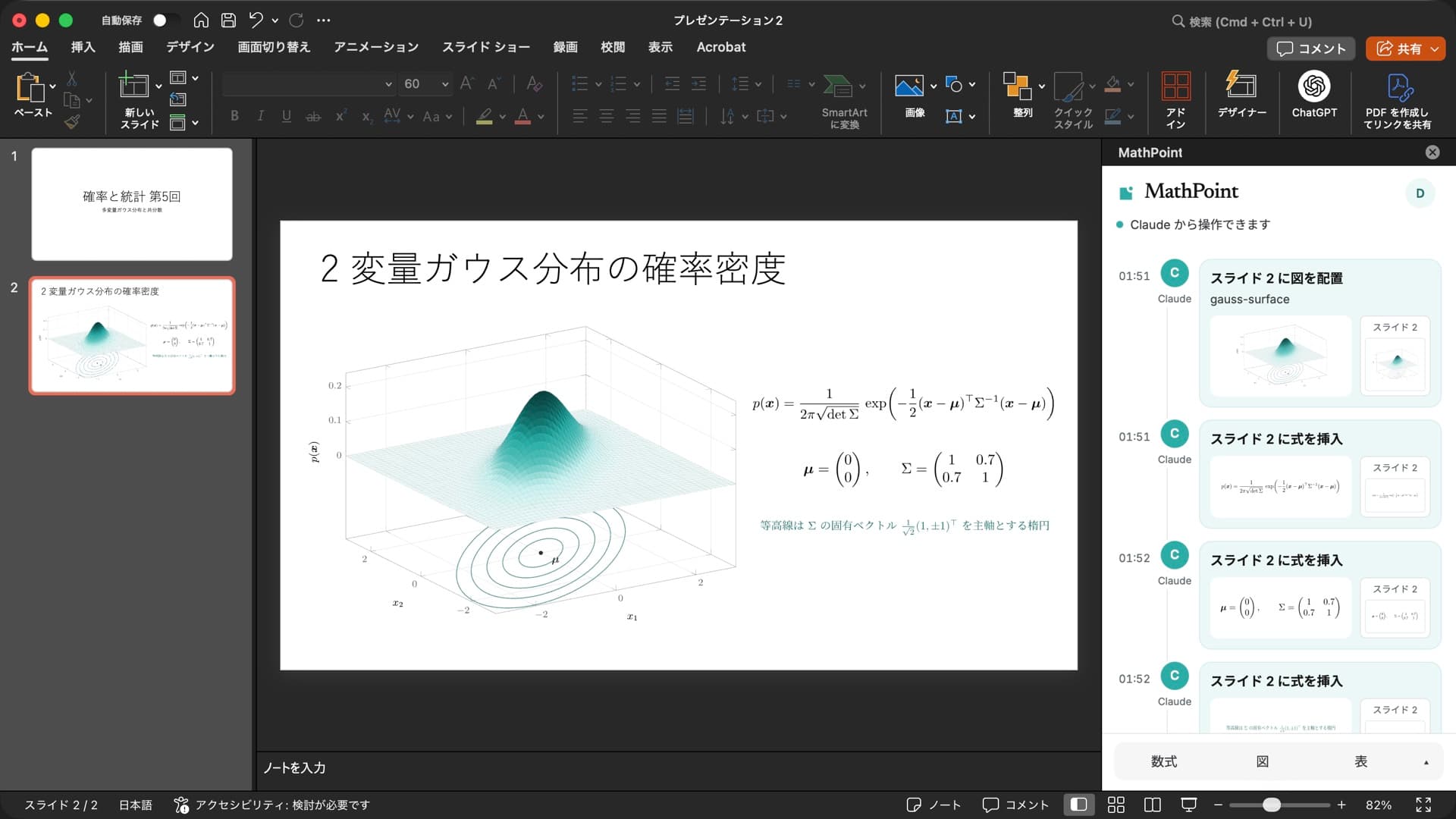
There are four common ways to put LaTeX equations into PowerPoint: the built-in equation editor, the IguanaTex add-in, which places TeX output on the slide, pasting an image made elsewhere, and MathPoint, an add-in that Claude or ChatGPT drives for you. The right one depends on whether you have TeX installed, whether you will edit the math later, and whether you also need figures and tables.
The four methods side by side
| Method | Local TeX | Look | Editing later | Figures and tables |
|---|---|---|---|---|
| Equation editor (built in) | Not needed | Office math (Cambria Math) | Edit in place | No |
| IguanaTex | Required | TeX typesetting | Re-typeset from source | If you write them in TeX |
| Paste an image | Needed wherever you make it | TeX typesetting | Remake and replace | Yes |
| MathPoint | Not needed | TeX typesetting (LuaLaTeX) | Ask the AI to re-typeset | TikZ, pgfplots, tabularray |
PowerPoint’s equation editor
Equations inserted with Insert → Equation are native Office math that you can click and edit. According to Microsoft, LaTeX linear format input is available in Word for Microsoft 365, while the other Office apps support the UnicodeMath linear format. In Word, choose LaTeX on the Equation tab and input like this becomes an Office equation:
\frac{-b\pm\sqrt{b^2-4ac}}{2a}Environments such as \begin and \end are not supported, and the result is not TeX typesetting. TikZ figures and LaTeX tables cannot be inserted this way.
IguanaTex
IguanaTex is a free add-in for PowerPoint on Windows and Mac. It typesets your LaTeX with the TeX distribution on your computer (TeX Live, MiKTeX, or MacTeX) and places the result on the slide. The LaTeX source stays with the shape, so you can reopen and re-typeset it.
Besides a TeX distribution it needs Ghostscript and, depending on the platform, other tools. Supported PowerPoint versions and requirements differ by OS, so check the README on GitHub.
Paste an image
You can typeset in Overleaf or a TeX editor, crop the PDF, and paste the result as an image. Anything works, but each change means rebuilding and replacing the image, and the source does not stay with the slide. PNG images also blur when enlarged.
Ask an AI in chat (MathPoint)
MathPoint is an add-in that puts equations, figures, and tables into the PowerPoint or Word file you have open when you ask Claude or ChatGPT. Typesetting runs on the MathPoint server with LuaLaTeX, so no local TeX installation is needed. Math is placed as a vector image and the LaTeX source is stored with the shape, so asking “make it teal” or “a bit larger” re-typesets it in place.
To install it on a Mac, run one command in Terminal, reopen PowerPoint, and sign in from the task pane. On Windows, run irm https://mcp.tex64.com/mathpoint/install.ps1 | iex in PowerShell.
curl -fsSL https://mcp.tex64.com/mathpoint/install | shOnce connected, ask something like “Put the quadratic formula on slide 2” or “Turn this table into a booktabs-style table.” In Word, display math goes into its own centered paragraph and inline math sits on the text baseline.
Which to choose
- Simple equations you edit as you type: PowerPoint’s equation editor. In Word you can also type LaTeX linear format.
- You have TeX installed and want real TeX output offline: IguanaTex.
- A one-off figure, or one you already have as a PDF: paste an image.
- Math, figures, and tables without installing TeX, with later fixes handled by your AI: MathPoint.
Primary sources
Report changed behavior, failed reproductions, or errors through TeX64 support.