
How to choose a LaTeX editor for Windows or Mac
Compare TeX64, Overleaf, TeXstudio, TeXShop, VS Code, Texifier and Texpile by math input, operating system, collaboration, offline work and project portability, with official sources and a reproducible project.
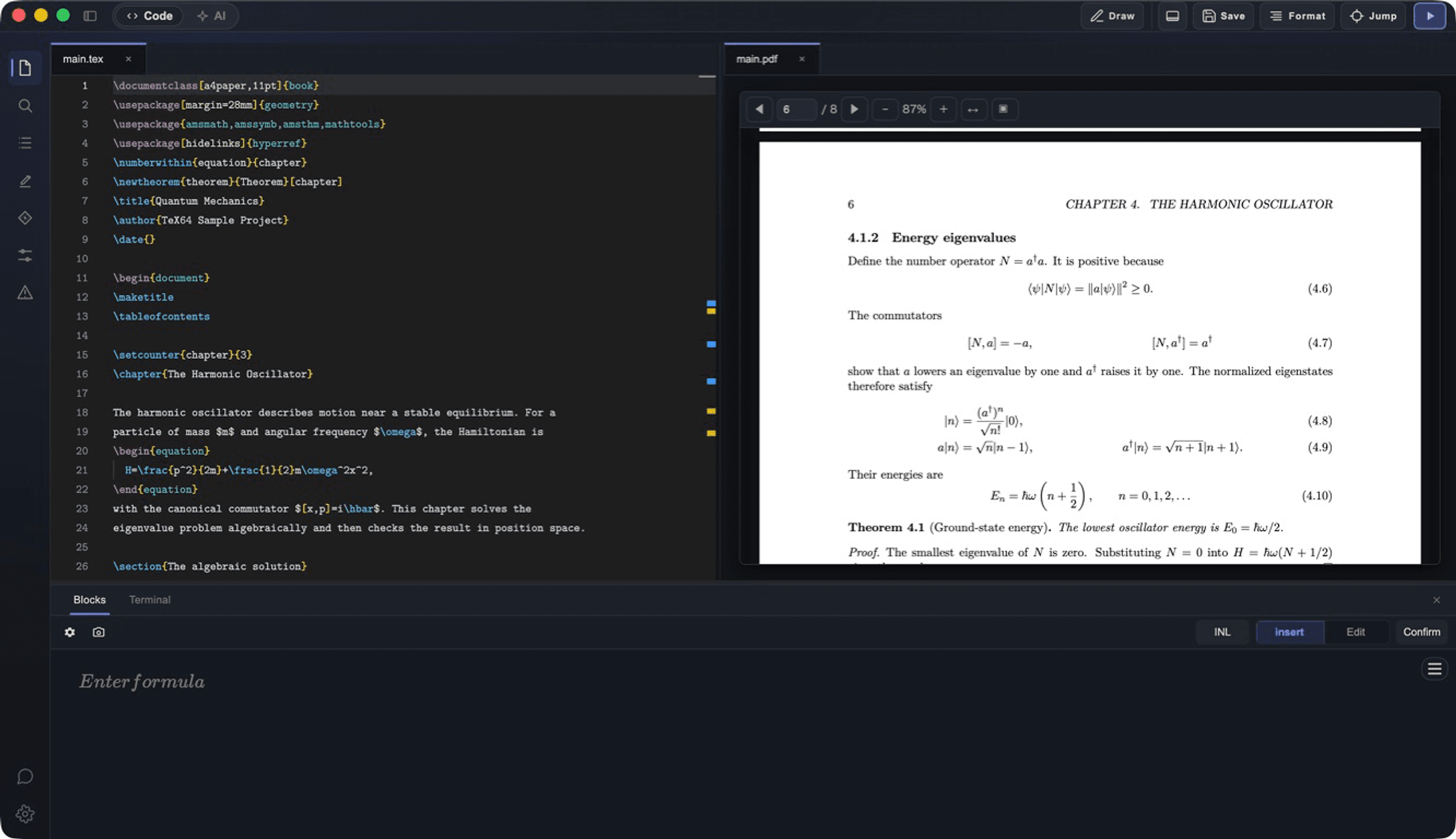
Choose a TeX editor by equations, collaboration and environment
A TeX editor edits LaTeX source; a TeX engine typesets it into a PDF. Consider Overleaf for coauthoring, VS Code if you already work there, TeXstudio for a free general desktop environment, and TeX64 when you want to write and revise equations visually inside a local document workflow.
There is no single best editor for every writer. Start with your actual project: opening its files, building with the required engine, and editing equations and references comfortably matter more than a feature count.
Compare the main LaTeX editor options
| Editor | Environment | Reason to consider it | Check before choosing |
|---|---|---|---|
| TeX64 | Windows 10/11 x64; macOS 12+ | Visual equation editing, on-device OCR, local PDF builds | Free core features; a TeX distribution is required. Axiom uses an online service. Not a real-time coauthoring product |
| Overleaf | Web browser | Editing the same document with coauthors | Also offers AI and image-to-equation features; check plan and project limits |
| TeXstudio | Windows, macOS, Linux | Free desktop source editing, completion, build and PDF | Install a TeX distribution separately |
| TeXShop | macOS | Editing and typesetting standard TeX files on a Mac | Mac-specific; configure the required TeX engine |
| VS Code + LaTeX Workshop | Windows, macOS, Linux | Keeping code and LaTeX in the same workspace | Requires the extension and a TeX toolchain |
| Texifier | macOS, iOS; Windows advertised as coming soon | Live typesetting and integrated PDF viewing | Check the free demo, purchase terms and supported platform |
| Texpile | Windows, macOS, Linux | Visual/source editing, local projects and collaboration | Also supports Typst and Markdown; check compatibility with your project |
What Windows, Mac and Japanese documents require
TeX64 supports Windows x64, Apple Silicon and Intel Macs. PDF builds need a TeX distribution. Use an existing TeX Live, MacTeX or BasicTeX installation, or approve a managed TeX Live installation. Initial toolchain downloads require internet access; installing the editor alone does not make every project immediately buildable.
For Japanese documents, check the document class, engine and fonts together. The example below uses LuaLaTeX. When migrating from Overleaf, preserve the original engine choice, bibliography workflow, images and custom styles.
Source and PDF starter pack (ZIP) · Japanese report source · PDF · TeX environment documentation
Can you move a project from Overleaf or TeXShop?
TeX64 works with ordinary .tex files and project folders. For a project exported from Overleaf, preserve the extracted images, .bib files and styles, then select the original root document and engine. Moving files does not reproduce the browser collaboration service.
Before switching, change an equation and build the bibliography, figures and cross-references. Open the files in another editor. If output differs, compare engines, packages, fonts and custom build commands rather than attributing every difference to the editor.
When TeX64 fits a mathematics-heavy workflow
In TeX64, edit a rendered equation and apply it to the source. For an image, review and correct the LaTeX produced by on-device OCR before using it in the document.
Primary sources
Report changed behavior, failed reproductions, or errors through TeX64 support.